Opus Clip
Help AI Producer learn how you want your videos to look.
Solo creators often rely on talking-head footage but do not have an editor to turn every video into polished short-form content.
I designed a workflow that lets creators teach AI Producer their visual style from references they already like. AI Producer translates those references into reusable style rules, applies them as B-roll, and lets creators review, correct, and save what works for future videos.
AI can automate editing. But automation alone can make every creator look the same.
B-roll makes talking-head videos more engaging, but creating it manually takes time and editing skill that many solo creators do not have. AI Producer can automate that work, but preset-driven automation introduces a different problem: creators get faster production at the cost of creative identity.
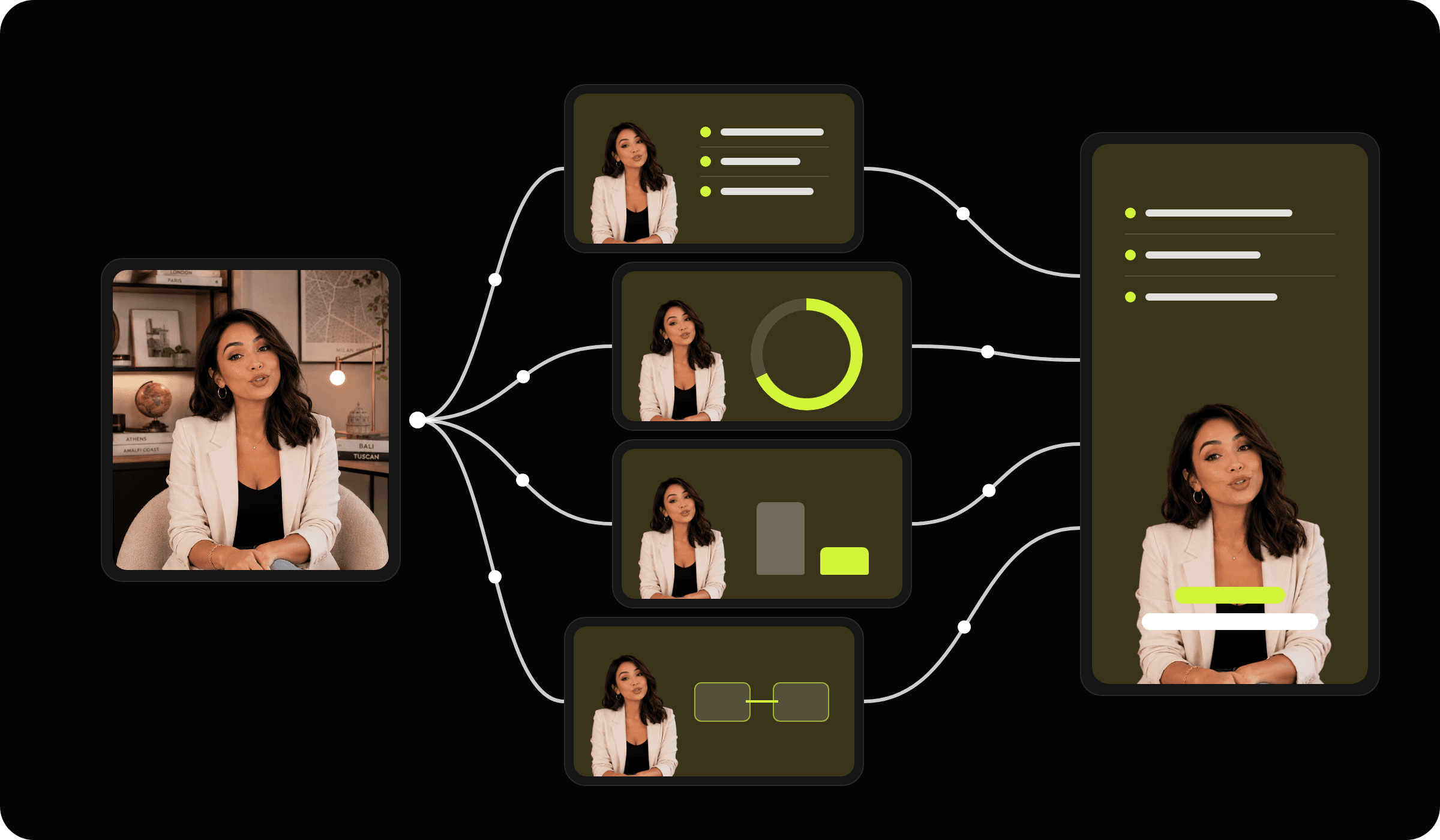
Turn one edit into a learning loop.
Instead of treating every video as a new generation task, I designed AI Producer as a continuous learning loop:
Creators start with a video and references they like. AI Producer translates those references into reusable rules, applies them to the video, and explains what it added.
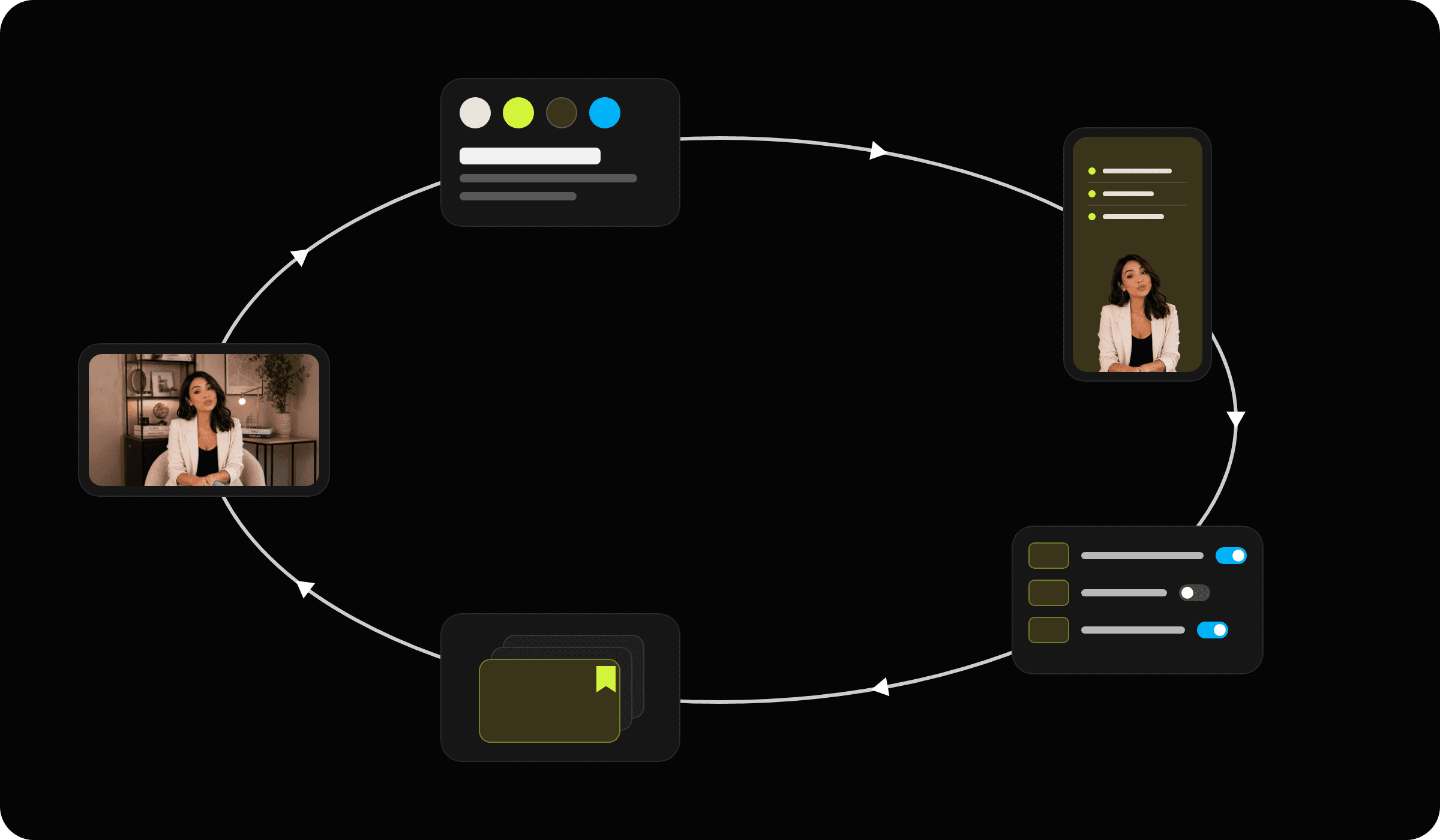
From one upload to a style that keeps getting better.
Start with your video
Upload a video, then choose how AI Producer should edit it. Instead of relying only on built-in presets, creators can create their own style.
Import a style
Creators can add a reference video or screenshots. AI Producer analyzes the typography, color, motion, pacing, and visual treatments, then turns them into editable style rules.
Turn visual taste into reusable rules.
AI Producer creates a style kit for:
Creators can review and edit anything the AI gets wrong.
Choose what happens. Keep your style.
AI Producer applies the creator’s style across different B-roll treatments, including chapter cards, stat callouts, quotes, and zooms. Once saved, the style can be reused on future videos.
Let AI make the first edit
AI Producer analyzes the transcript, finds moments that could use visual support, and adds B-roll automatically. Edits are clearly marked on the timeline so creators can see and change them.
Make AI decisions visible.
“5 Effects added” opens a list of every B-roll moment, with its timecode and one line on why the AI chose it. The list stays connected to the timeline, so every AI decision is easy to inspect.
Hide, replace, remove
Creators can hide an effect, replace it, or remove it right from the list. Every action can be undone, without running the edit again.
Save what worked
At export, the video is compared with its saved style, for example two new B-roll effects, tighter cuts and larger captions. The creator can update the saved style, save a new variant, or keep the changes in this video only. The folder gets better with every video and never changes without permission.
How B-roll is saved and reused
Creators can save a successful B-roll treatment as a reusable rule. Instead of remembering one specific edit, AI Producer learns when and how to use that treatment again.
Faster edits, without giving up control.
reusable B-roll templates built for AI Producer’s template system and onboarding flow.
less setup and editing time per video, from the templates and refined editing controls.
less repetitive manual editing, by joining chat, effects, and timeline into one AI review flow.
Where this could go.
Today the style comes from a site or screenshots. Next: pull it directly from a reference video.
Each hide, replace, or undo is a signal. Use it to suggest better B-roll next time.
Track which AI effects creators keep, so the style and the defaults improve together.
Copyright © 2026 Anqi Wang